
Read MBOX files on Mac & Windows.
Any size. Instantly.
Back up your Gmail with Google Takeout and read it offline. Open, search and export emails from MBOX and EML archives — from a few KB to 50+ GB — without your computer breaking a sweat.
macOS 14+ · Apple Silicon · Windows 10/11 and Windows Server
How to open an MBOX file
Three steps, on Mac or Windows
No import, no conversion, no account. Your file is opened exactly as it is, and left exactly as it was.
- 1
Install Mbox Viewer
Free from the Mac App Store or the Microsoft Store. Mailboxes up to 1 GB open without buying anything.
- 2
Open the file
Drag it onto the window or double-click it. A Gmail export from Google Takeout, a Thunderbird mailbox and an Apple Mail .mbox folder all open as they are — no conversion step.
- 3
Read it, search it, take what you need
The archive is indexed once and re-opens in under a second. Search it, print it, or export the messages you need as EML, PDF or a new MBOX file.
Built for one job, done right
- 01
Your Gmail, offline on your computer
Use Google Takeout to back up your entire Gmail account, then read, search and browse it offline — no internet required, no account login.
- 02
Other tools choke on large files
Most MBOX readers crash or freeze past a few hundred MB. Many ship a whole browser or JVM just to show a list of emails.
- 03
Native, streaming, instant
Mbox Viewer streams through files of any size without loading them into memory. Truly native on Mac and Windows. Indexes once, re-opens in under a second.
Everything you need to live inside your email archive
A focused, native toolset — not a web app in a window.
Handles any size
Streaming parser with a 1 MB buffer opens files from a few KB to 50+ GB without loading them into RAM.
Instant re-opens
A binary index with SHA-256 validation makes every re-open take under a second, whatever the file size.
Powerful search
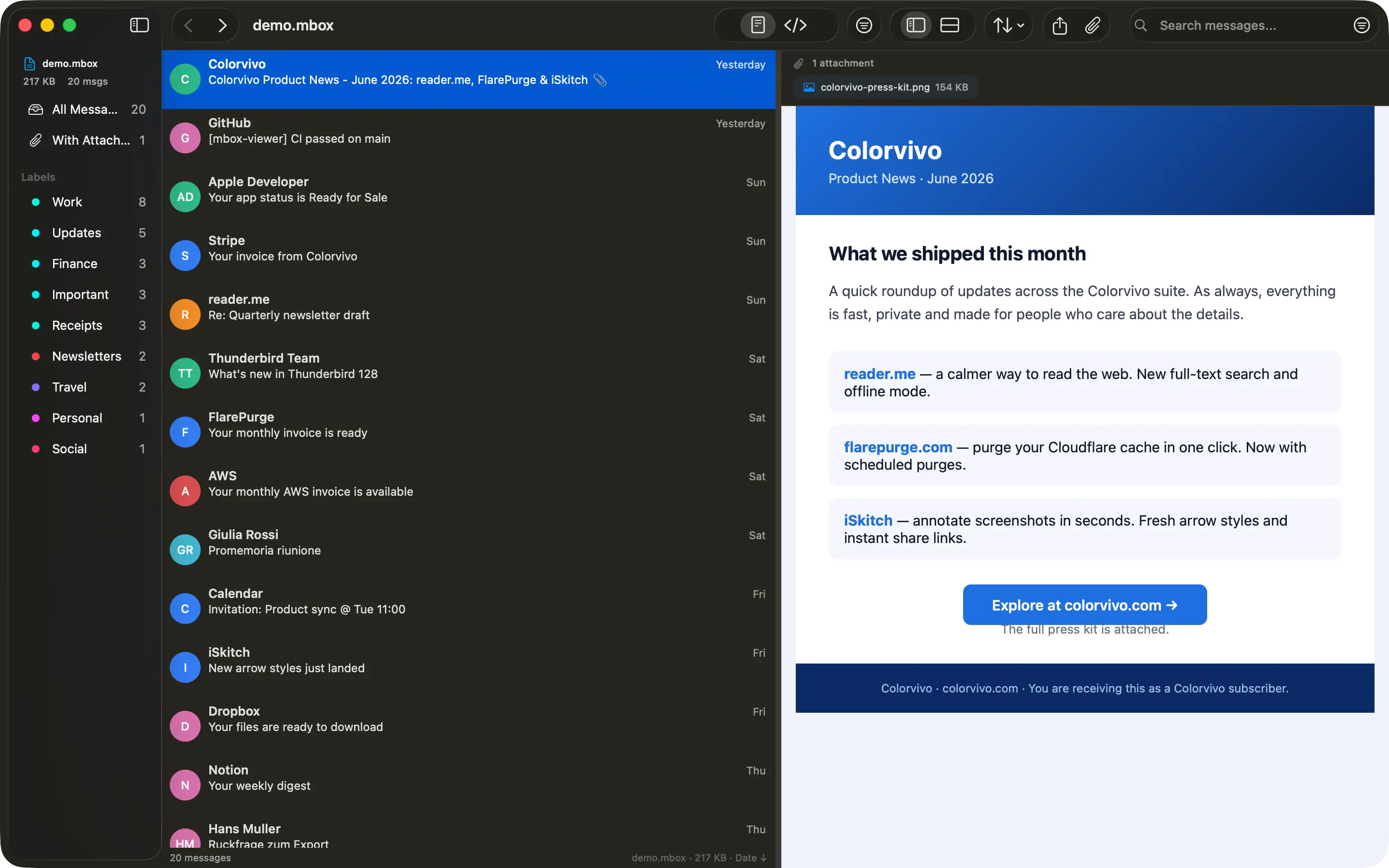
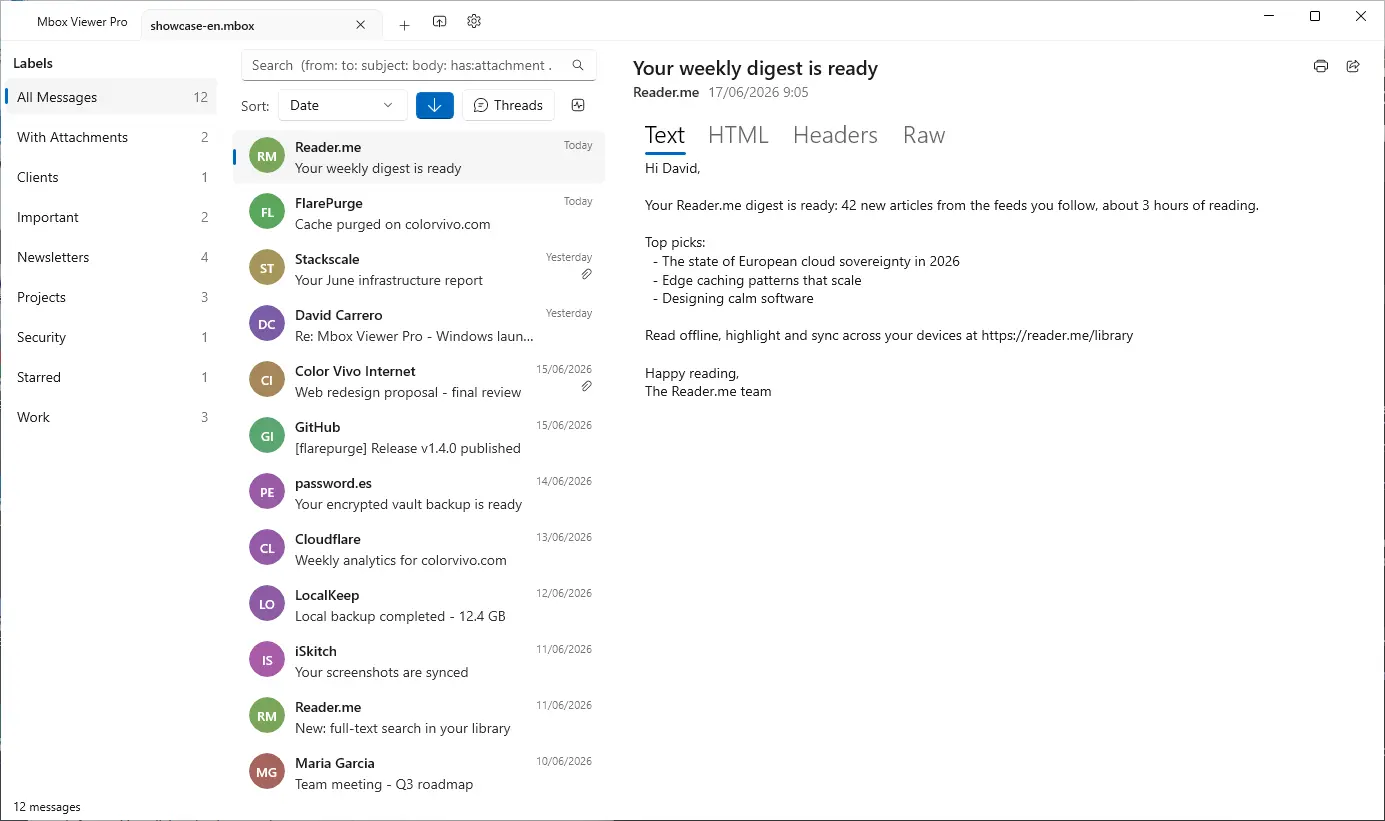
Full query syntax: from:, to:, subject:, body:, date:, has:attachment, size:>, OR, negation and exact phrases.
Gmail labels
Reads Gmail labels straight from Takeout. Browse by label in the sidebar with live message counts.
Full export
Export to EML, CSV, plain text or extract every attachment. Merge multiple MBOX files with dedup.
Export a selection as MBOX
Pick the messages that matter — by search, by label or by hand — and write them to a new mailbox that holds only those. The original file is never touched.
Conversation threads
The JWZ threading algorithm groups messages into conversations with reply chains up to four levels deep.
Privacy first
Everything runs locally. No cloud, no telemetry, no data ever leaves your computer. Strictly read-only.
Truly native
Native on Mac and Windows — dark mode, drag & drop, system share and print. No Electron, no Java.
Repair damaged mailboxes
Deep-scan recovery re-detects lost message boundaries and exports a repaired copy — the original file is never modified. (Pro)
Export to PDF
Export any message to a self-contained, multi-page PDF with the same layout as printing. One message is free; batch export is Pro.
Export to HTML
Save any message as a self-contained HTML file with images embedded and attachments as downloadable links — it opens anywhere. One message is free; batch is Pro.
Properties, MIME & Hex views
Three new ways to inspect a message: a Properties panel, the MIME part tree and a raw hex dump — ideal for technical or forensic work.
Works with your email client
Mbox Viewer reads the standard mbox format — the same format virtually every email client and service uses for exports and backups. If your app can export mbox, Mbox Viewer can open it. No import, no conversion, no account: just open the file.
Apple Mail and Thunderbird now open directly, with no extra steps. Have Outlook (PST/OLM)? See how to convert it in our step-by-step guide.

Your MBOX came from Google Takeout?
The archive Google sent you holds much more than mail
Photos, activity, contacts, calendars, bookmarks — and services that came back empty. Takeout Reports, our free app for Mac and Windows, opens the archive and tells you what's inside, without unzipping it.
Meet Takeout ReportsAvailable in 21 languages
Mbox Viewer's interface and user guide are localized into 21 languages, so you can work through your email in the one you know best.
- English
- Español
- Deutsch
- Français
- Italiano
- 日本語
- 한국어
- Nederlands
- Polski
- Português (BR)
- Português (PT)
- Русский
- Svenska
- Dansk
- Norsk
- Türkçe
- 简体中文
- 繁體中文
- Suomi
- Bahasa Melayu
- עברית
Opens a 50 GB archive in under 5 minutes
And re-opens it in under a second — every time, thanks to the binary index.
| File size | Messages | First open | Re-open | RAM |
|---|---|---|---|---|
| 500 MB | ~5,000 | < 5 sec | < 1 sec | < 100 MB |
| 5 GB | ~50,000 | < 30 sec | < 1 sec | < 200 MB |
| 50 GB | ~500,000 | < 5 min | < 1 sec | < 600 MB |
Free, and Pro when you outgrow it
The free version is the whole app, not a demo: no time limit, no watermarks, no nagging. Pro lifts the size limit and adds the heavy-duty jobs — one payment that never expires, or a yearly subscription.
Free
Everything you need to read an archive
- Mailboxes up to 1 GB
- Full search, Gmail labels and threading
- Export to EML, CSV, text and MBOX, and pull out attachments
- PDF and HTML of a single message
Pro
For archives that do not fit, and jobs that do not stop at one
- No file size limit
- Batch export to PDF and HTML
- Repair damaged mailboxes
- Merge mailboxes of any combined size
Stop fighting your email backups
Free for files up to 1 GB. Unlock unlimited size with an in-app purchase: one payment or a yearly subscription. No account.
Buying for a school or an organization? See the Education edition and volume licensing.